Z-Anatomy — the human body as a 3D knowledge graph
▸ Open the 3D body → — a three.js explorer over the
z-anatomy knowledge graph: pick any bone, muscle, organ or nerve and see its
real 3D neighbours — the structures touching it, sharing its tissue, or
thermally coupled to it — plus the diseases and phenotypes located there.
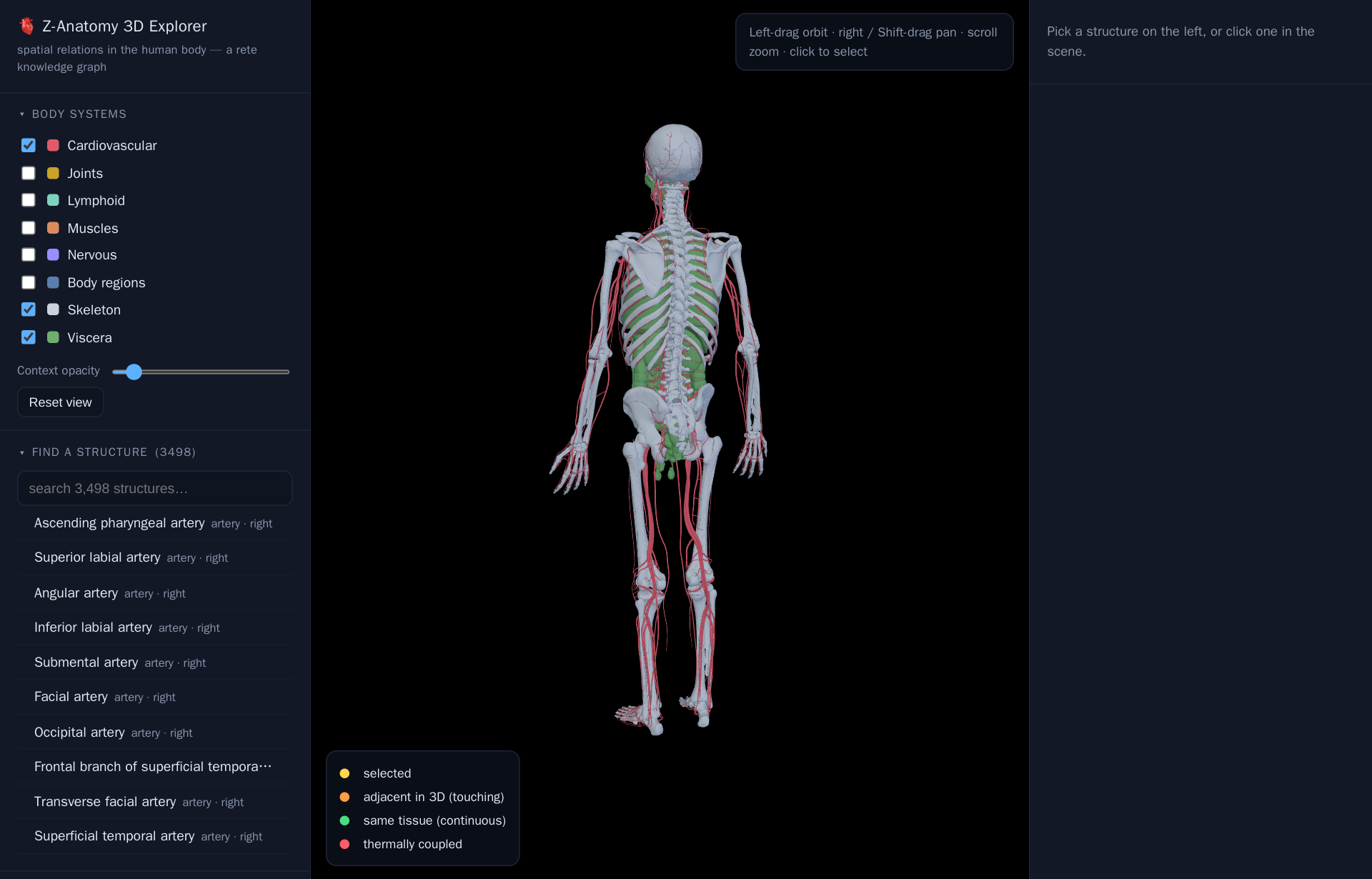
What you see
The centre pane is a real 3D scene, not an illustration: left-drag to orbit, right-drag (or Shift-drag) to pan, scroll to zoom, click any mesh to select it. The left sidebar toggles body systems — Skeleton, Cardiovascular, Viscera, Muscles, Nervous, Lymphoid, Joints, Body regions — loading each one's model on demand (an instant bounding-box placeholder appears while the real mesh streams in). Below that, Find a structure searches by name over 3,498 anatomical structures; click a result to select it, frame the camera on it, and see its relations light up. The right panel lists whatever's selected — its tissue, side, a short description, and any related Disease Ontology conditions or HPO phenotypes located there.
Every relation is a materialised edge
Each structure is a graph node with real 3D geometry — a point and a
bounding box, in millimetres, carried over from the original Z-Anatomy
meshes. The colours in the legend (adjacent in 3D, same tissue, thermally
coupled) aren't drawn by hand: they're computed once from that geometry by
geo3, rete's extension of GeoSPARQL into three dimensions
(geof3:distance3D, geo3:adjacent3D, geo3:thermallyCoupledWith…), and
stored as ordinary triples. So "what touches the stomach" or "what's within
60 mm of the liver" isn't a spatial-query feature bolted onto the viewer —
it's the same graph pattern any SPARQL query would match.
Select by query
The Select by query panel runs that idea live: ready examples — all
bones, left-side viscera, structures within 60 mm of the liver via
geof3:distance3D, neighbours in contact with the stomach, organs with a
related cancer and its ICD-10 code — are real SPARQL against
z-anatomy.rete, executed in-browser (the query engine and graph load
lazily, once) and highlighted straight onto the model. There's also a box to
write your own SPARQL from scratch; matches populate the results table below
the scene and clicking a row selects that structure in 3D.
The same data, queryable
The explorer is just one lens on a regular playground dataset. Open
z-anatomy to run SPARQL
directly — the same partonomy, geometry, and materialised 3D relations, with
no 3D rendering in the way.